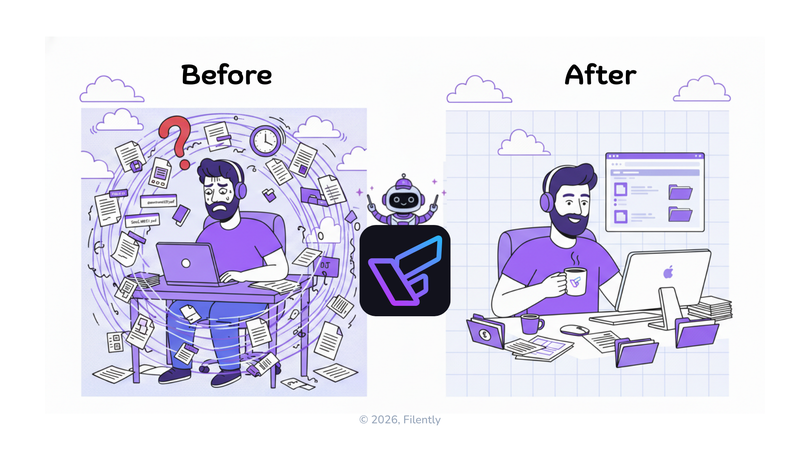
Your Downloads folder has 847 files in it.
You know this because you just checked (hoping you’d find that contract from two weeks ago). The one the client signed. You remember downloading it. You definitely saved it somewhere.
You didn’t find it.
Scroll, scroll, scroll. “IMG_4829.pdf”… “download(4).pdf”… “Scan_001.pdf”… yeah, no idea what any of those are. Great.
Look, I get it. Everyone says “just be more organized” like it’s some character flaw you can fix with the right folder structure or a weekend of cleanup.
It’s not.
Your Google Drive became chaotic because you’re trying to manually organize 20+ files per day while also working. Emails, phone scans, browser downloads, screenshots. They all pile up faster than any human can realistically file them. Especially when you’re on hour seven of a deadline.
The old advice? “Use better naming conventions.” Sure. Let me perfectly format every filename while I’m exhausted at 8 PM trying to send a proposal. That’ll definitely happen.
Here’s what actually works: stop making those decisions yourself.
Let AI handle the filing while you focus on work that actually matters.
The Real Cost (And Yeah, It’s More Than Just Annoying)
Before we talk solutions, let’s be honest about what this chaos actually costs.
According to a 2012 McKinsey Global Institute study, employees spend approximately 1.8 hours per day—nearly 20% of their work time—searching and gathering information. By 2023, Forrester research found this had intensified to 30% of the workweek, as organizations now navigate an average of 367 different software applications.
Nearly two hours per day. And getting worse.
For a freelancer billing at $75/hour, that’s roughly $37,500 per year disappearing into file-searching time. Not billable. Not productive. Just… searching.
But honestly? The money isn’t even the worst part.
It’s the stress. Knowing you can’t find things when clients ask. The embarrassment of requesting documents you’ve already received (twice). That Sunday evening you spent “getting organized” only to watch your perfect system fall apart by Wednesday.
Most painfully, it’s knowing you have the information somewhere but being unable to access it when it actually matters. Tax audit? Client dispute? Compliance request? Good luck finding those files under the current system.
The good news?
You can fix this without migrating to some new platform, learning complex systems, or blocking out another weekend for reorganization. (We both know how that ends.)
Why “Getting Organized” Never Sticks
You’ve tried fixing this before. Obviously.
Maybe you spent a Saturday creating the perfect folder structure. Color-coded. Alphabetized. Client folders with subfolders for invoices, contracts, proposals. Beautiful.
Lasted about two weeks.
Then one evening (exhausted after a long client call) you saved something as “client-contract.pdf” because you just needed to send it and move on. You’d rename it tomorrow.
Tomorrow never came.
Here’s why manual organization always fails: it requires perfect discipline at your most tired, rushed, and distracted moments.
Every file you save needs three decisions. What should I name this? Which folder does it go in? How does this fit my existing structure?
Make those perfectly. Every time. For every document you save. While juggling client deadlines, emails, and the seventeen other things demanding your attention.
Oh, and do it consistently for months. No exceptions. No “I’ll fix it later.”
It’s not that you’re disorganized. The system is fundamentally broken for how we actually work.
What Actually Works: Let AI Handle the Filing
Okay, here’s the breakthrough.
(And I know you’ve heard “AI-powered” promises before. Stick with me here.)
Instead of you naming and filing each document manually, AI reads the file, figures out what it is, and applies your naming convention. Perfectly. Every single time. Even when you’re too tired to care.
Old way (what you’re doing now):
You download an invoice. It’s named “Invoice_Jan_2024(3).pdf” because that’s what the sender called it. Now you need to open it to see which client, manually rename it to something like “2024-01-15_Invoice_ACME-Corp_1250.pdf”, navigate to /Clients/ACME Corp/2024/Invoices/, move it there, and hope you didn’t make typos.
Time: 2-3 minutes per file.
Do this ten times per day? Thirty minutes of your life. Gone. Daily.
New way (with Filently):
Upload the same invoice to Filently. Within seconds, AI reads the actual content (not just the filename), identifies it as an invoice from ACME Corp dated January 15, 2024 for $1,250, renames it to “2024-01-15_Invoice_ACME-Corp_1250.pdf”, and files it in your Google Drive at /Clients/ACME Corp/2024/Invoices/.
Time: Under 10 seconds. Zero decisions required from you.
The difference? You just upload. AI handles everything else: naming, organizing, filing. Works the same way whether you’re alert and focused or half-asleep at 11 PM.
How It Actually Works (The Real Version)
Filently connects to your existing cloud storage (such as Google Drive, Dropbox or OneDrive). No migration. No new platform to learn. Your files stay exactly where they are, in your cloud, accessible from all your devices.
Step 1: Seamless Input
Get your documents into Filently however you work best. Drag & drop files directly into the app, sync your Google Drive Inbox folder, or forward attachments to your dedicated Filently email address (coming soon). One file or a hundred at once. Doesn’t matter.
Step 2: AI Processing
Filently reads each document to understand what it actually is. Invoices? It extracts client name, date, and amount. Contracts? It identifies parties, effective dates, and key terms. Receipts? Vendor, date, total. Random stuff? Figures it out anyway.
Step 3: Smart Naming
Based on what it finds, Filently applies your specific naming convention. It recognizes your existing naming patterns and allows for individual AI instructions to customize the format. You set the rules; Filently follows them exactly. Every. Time.
Step 4: Organized Filing
Files automatically land in the right spot in your Google Drive. Whether it’s following your existing folder structure or using custom filing logic, Filently ensures every document is tucked away in the correct location. Your archive stays perfectly organized without you lifting a finger.
Total time per file: 5-10 seconds, regardless of how complex your naming rules are.
Best part? This works with your existing Google Drive. Your files stay in Google’s cloud. Shareable. Accessible. You’re not locked into some proprietary system.
Filently is just the intelligent layer that keeps everything organized.
What This Actually Feels Like
Let me paint a realistic picture.
Your Downloads folder:
Instead of 200 randomly-named files accumulating until you can’t stand it anymore, you upload batches to Filently every few days. (Or whenever you remember. No pressure.) Five minutes later, everything’s properly named and filed in Drive.
Email attachments:
Clients send you documents with terrible names. “Final.pdf”… “Document1.docx”… that kind of thing. You just forward to Filently (or upload). They come back organized and findable.
Phone scans:
Photos of receipts, signed contracts, business cards. Upload from your phone. They transform into properly-named PDFs in the right folders. Like magic, except it’s just AI doing boring work you don’t want to do.
Tax time:
Instead of scrambling to find invoices from eight months ago, you search “2024 invoices” in Drive. Actually find them all. Because they’re all named consistently. Starting with the date.
Revolutionary? No.
But effective? Extremely.
Client requests:
“Can you resend that proposal from March?”
You don’t panic. You know exactly where it is. Because Filently filed it there. Automatically. Months ago.
The feeling you’re going for? Calm.
The knowledge that your files are where they should be. Named correctly. Findable when needed.
It’s Not Magic, Just Intelligence in the Right Place
This isn’t about having superhuman organizational skills.
It’s about putting the intelligence where it belongs, in the system, not in your exhausted brain at 6 PM on a Friday.
Think about spell-check for a second. Before spell-check, people had to remember how to spell every word. Perfectly. Some people were naturally good at it. Most of us? Made mistakes when tired or rushing.
Now the computer handles spelling. We focus on what we’re trying to say. Nobody feels bad about using spell-check. It’s just smart delegation of a repetitive task.
File organization is exactly the same.
You shouldn’t need to remember the exact naming format. Think about folder structures. Make perfect filing decisions while you’re busy with actual work.
That’s a job for AI.
And unlike humans, AI doesn’t get tired. Doesn’t forget conventions. Doesn’t make typos. Doesn’t decide “I’ll do it properly tomorrow” (and then never do it).
But What About My Existing Mess?
Fair question. Filently is built to keep you organized moving forward, but what about those 2,000 badly-named files already sitting in your Drive?
Option 1: The “Deep Clean” Mode (Coming Soon)
We are currently building a Deep Clean engine designed specifically for historical data. Soon, you’ll be able to point Filently at your entire existing archive, and it will automatically rename and re-file every legacy document to match your new standards. Total organization, retroactively.
Option 2: Batch Uploads
If you want it done today, you can upload your existing files to Filently in batches. Drag 50–100 files at a time, let the AI process them, and watch them land in your Drive perfectly organized. Do this over a few sessions (while watching Netflix, whatever) and your archive is clean.
Option 3: Use CleanName for a Quick Fix
CleanName is our free tool for fast batch renaming. Upload messy files, let the AI suggest proper names, then approve and download. It’s a great way to handle a one-time cleanup of specific folders.
The bottom line: You can wait for Deep Clean, do a manual batch run now, or… just keep living with the chaos. Your choice.
This Fixes More Than Just Organization
Once your files are consistently named and properly organized, something interesting happens.
Everything else gets easier.
Search actually works now. Type “ACME invoices 2024” and you get exactly what you need, not 47 results where you have to guess which “invoice.pdf” is the right one. No more “was it named ‘invoice’ or ‘bill’?” confusion.
Need your Q1 revenue breakdown by client? When every invoice follows the same naming pattern with dates and amounts, you can extract that data in seconds instead of hours. (And by “you” I mean whoever you hire to do that. Or Excel formulas. Whatever.)
Tax prep becomes this simple thing you do in an afternoon instead of a weekend of panic. Filter by year, export all invoices and receipts, send to your accountant. Done. The IRS has no questions. You sleep better.
Team collaboration suddenly works because files are named consistently and filed predictably. Your team can actually find things without the “Where did you save the Johnson contract?” Slack messages every other day.
And compliance? When an auditor requests documents, or a client needs records, or your legal team wants contracts, you can actually produce them. Immediately. Because you know exactly where they are.
This is what “organized” actually means. Not having pretty folders. Being able to find what you need when you need it.
How to Start
If you’re ready to stop fighting with file chaos:
Step 1: Acknowledge the real cost
Two hours per day searching = $37,500/year in lost productivity (at $75/hr). This isn’t a nice-to-have. It’s a business fundamental.
Step 2: Stop trying to “be more organized”
You’re not failing at organization. The manual system is failing you.
System problem, not discipline problem.
Step 3: Let AI handle it
Join the Filently waitlist and be among the first to experience intelligent filing when we launch. Connect your Google Drive, upload your files, let the system organize them.
Your files will be properly named, correctly filed, instantly findable, without you having to think about it.
The Bottom Line
Your messy Google Drive isn’t a character flaw.
It’s the predictable result of using a manual filing system designed for 1995 (when people saved maybe 5 files per day) while you’re actually saving 20+ files daily from multiple devices and sources.
No amount of “being organized” can keep up with that pace. While also doing your actual job.
The solution isn’t better folders. Stricter conventions. Another weekend reorganization project.
The solution is intelligent automation that handles filing so you don’t have to.
Join the Filently waitlist to experience AI-powered filing when we launch in February 2026.
Your Google Drive will finally work the way it should have from the beginning: organized, searchable, and stress-free.
P.S. Drowning in badly-named files right now? Try CleanName for quick batch renaming of existing files. Free. No signup. Clean up what you have, then let Filently keep it perfect going forward.