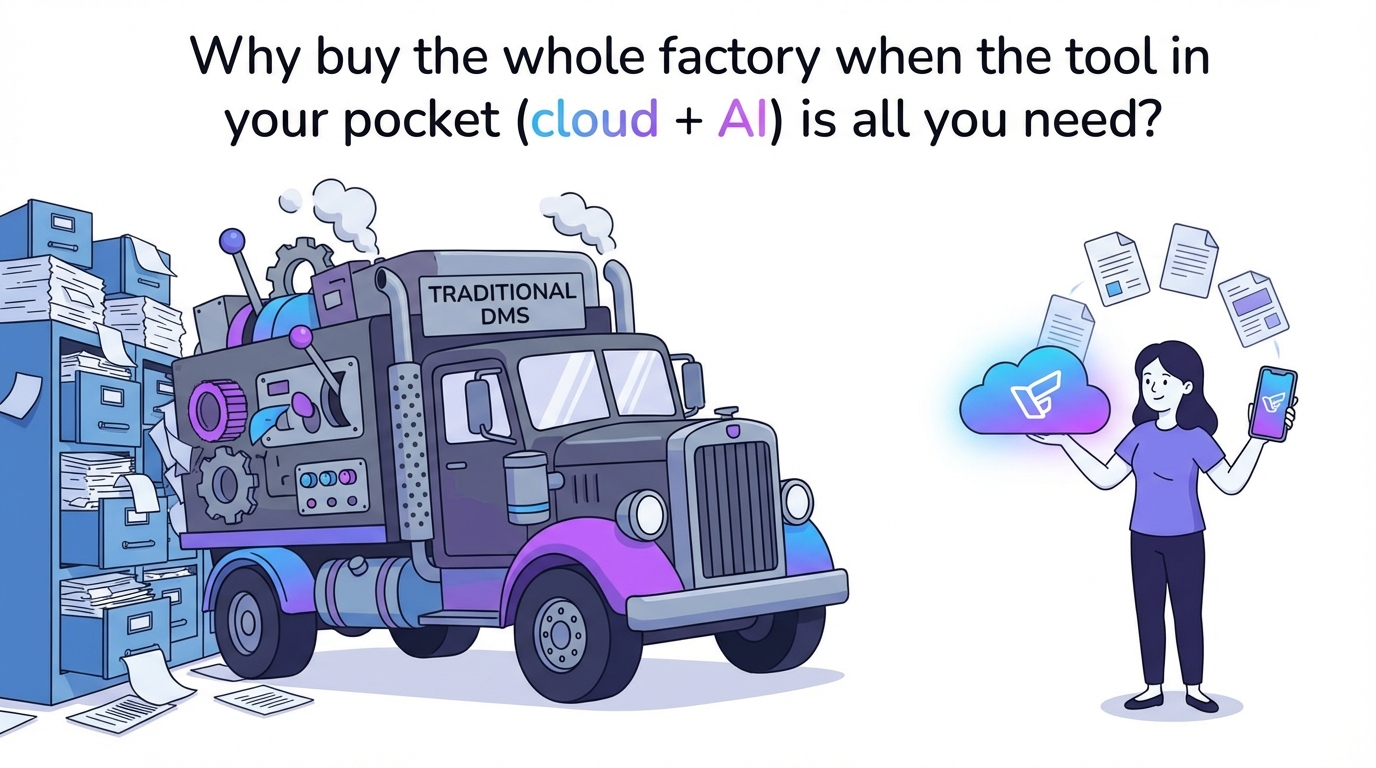
Are you researching document management systems because your Google Drive is a mess? Maybe you’re evaluating SharePoint, Box or M-Files because someone told you “real businesses use proper DMS software.”
I’ve had this conversation with dozens of small business owners. They’re drowning in digital chaos and convinced they need enterprise software to fix it.
Here’s what nobody tells you: you probably don’t need a traditional DMS at all.
The problem isn’t that you’re using Google Drive, Dropbox or OneDrive. The problem is that these tools don’t organize themselves. But the solution isn’t migrating to a $30/user/month enterprise platform. The solution is making your existing cloud storage actually work.
Let me explain why.
The Migration Trap
Traditional document management systems promise order, automation and peace of mind. What they don’t mention upfront is the cost of getting there.
Every DMS migration requires:
You have to move every file from your current system into theirs. For a team with years of documents, this means weeks of work, potential data loss and absolute chaos while you’re mid-migration.
SharePoint doesn’t work like Google Drive. Box doesn’t work like Dropbox. M-Files definitely doesn’t work like anything you’ve used before. Your team needs training. Your workflows need rebuilding. Your muscle memory needs relearning.
Once your files are in SharePoint or Box, they’re locked into that ecosystem. Want to switch later? You’re looking at another full migration. Most teams stay even when they’re unhappy because leaving is too painful.
Traditional DMS platforms charge per user per month. SharePoint requires Microsoft 365 ($12-36/user/month). Box starts at $20/user/month. M-Files pricing is custom but expect enterprise rates. For a 10-person team, that’s $2,000-4,000 per year minimum.
Most businesses don’t need workflows, governance, or compliance frameworks. They just need to find their invoices without spending 20 minutes hunting through nested folders.
The 3 Traditional DMS Options (And Why They’re Overkill)
If you’ve been researching document management, you’ve probably encountered these three. They’re legitimate enterprise tools. They’re also massive overkill for most teams.
1. Microsoft SharePoint: The Enterprise Standard
SharePoint is the 800-pound gorilla of document management. If you’re a Fortune 500 company with compliance requirements, complex approval workflows and a dedicated IT department, SharePoint makes sense.
What SharePoint does well:
Deep integration with Microsoft 365 means documents flow seamlessly between Outlook, Teams, Word and Excel. Everything lives in one Microsoft ecosystem.
Build custom approval workflows, automate document routing, create team sites with permissions structures. SharePoint can handle almost any enterprise requirement.
Enterprise-grade security, audit trails, retention policies and compliance features for industries like healthcare, finance and government.
The reality for small businesses:
SharePoint’s interface is notoriously complex. New users get lost in libraries, content types and metadata fields. Expect weeks of onboarding, not hours.
Business Basic ($6/user/month) gives you OneDrive, not full SharePoint. You need Business Standard ($12.50/user/month) minimum, and advanced features require Business Premium ($22/user/month) or Enterprise plans ($36+/user/month).
For a 10-person team using Business Standard: $1,500/year. Enterprise E3 for that team: $4,320/year.
You’re not just paying for SharePoint. You’re paying for the entire Microsoft 365 suite whether you need it or not.
Best for: Large organizations with IT departments and complex governance needs.
Overkill if: You just need organized files and don’t require enterprise workflows.
2. Box: The Security-First Platform
Box built its reputation on security and compliance. If you’re in healthcare, finance, legal or government, Box’s certifications (HIPAA, FINRA, FedRAMP) might be non-negotiable.
What Box does well:
Box takes security seriously. Granular permissions, watermarking, access controls, detailed audit logs. Everything is built for regulated industries.
Built-in Box Sign lets you send documents for e-signature without a separate DocuSign subscription. Workflow automation routes documents for approval.
Box integrates with 1,500+ apps including Salesforce, NetSuite and Adobe. The API is robust for custom integrations.
The reality for small businesses:
Business plans start at $20/user/month with a 3-user minimum ($720/year minimum). Enterprise pricing goes higher with custom quotes.
Box’s strength is also its weakness. The interface is packed with features most small teams never touch. Permissions structures can get complicated fast.
If you don’t need HIPAA compliance, e-signatures or advanced security controls, you’re paying for features that sit unused.
Best for: Regulated industries requiring strict compliance and security certifications.
Overkill if: You’re not handling sensitive data that requires regulatory compliance.
3. M-Files: The Metadata-Driven Approach
M-Files takes a different approach. Instead of organizing files by location (folders), it organizes by metadata (what the file is). Think of it like Gmail’s labels vs. folders.
What M-Files does well:
Tag documents with properties (client name, document type, date, project). Find files by what they are, not where they’re stored. This can be powerful for teams drowning in folder structures.
M-Files pulls documents from multiple sources (SharePoint, network drives, email) into one searchable interface. Version control and audit trails are built in.
Automate document workflows. Route invoices for approval, trigger notifications, enforce naming conventions.
The reality for small businesses:
The metadata approach is clever but requires setup. Someone needs to define your metadata schema, create templates and train the team. This isn’t plug-and-play.
M-Files pricing starts around $65/user/month with costs varying based on deployment type and modules. Implementation costs typically range from $7,000 to $35,000. For a 10-person team, expect $7,800/year in licenses alone, plus substantial setup costs.
Your team needs to adopt a completely new way of thinking about files. Some people love it. Others never adjust and keep working around the system.
Best for: Organizations with complex document types that need sophisticated metadata classification.
Overkill if: Your filing needs are straightforward and folder-based organization works fine.
What All Traditional DMS Systems Have in Common
Notice the pattern? SharePoint, Box, and M-Files are all:
Built for enterprises. They solve enterprise problems: governance, compliance, complex workflows. Small teams don’t have those problems.
Migration-required. You can’t just “add” SharePoint to Google Drive. You have to move everything into their system.
Learning curve. Every platform requires training. Your team needs weeks to become productive again.
Vendor lock-in. Once your files are in their system, switching providers means another full migration.
Expensive at scale. Per-user pricing adds up fast. A 10-person team easily hits $2,000-4,000/year.
Most businesses evaluating these tools don’t actually need a document management system. They need document organization.
The Filently Alternative: Organization Without Migration
Here’s a different approach that we built specifically because we saw this problem everywhere: what if you didn’t migrate at all?
The insight we had building Filently:
Most teams don’t have a storage problem. They have an organization problem. Google Drive works fine as storage. It’s terrible at organizing itself.
Instead of replacing your cloud storage with a DMS, what if you just made your existing storage smarter?
How Filently works differently:
You keep using Google Drive, Dropbox or OneDrive (coming soon). Your files stay exactly where they are. Your team keeps using the tools they know.
Filently connects to your cloud storage and watches for new files. When you upload an invoice, receipt or contract, our AI reads it, extracts key information (date, client amount), renames it consistently, and files it in the correct folder. Automatically. For a deeper look at how AI document management works, our guide to an AI document management system covers the full picture.
Everything processes directly in your cloud environment. We don’t store permanent copies of your files. No vendor lock-in. Cancel anytime and your organized files stay organized in your Google Drive.
Currently works with Google Drive. Dropbox and OneDrive integrations on the roadmap.
The difference in practice:
| Feature | Traditional DMS | Filently |
|---|---|---|
| Migration | Full migration required | None - works with existing storage |
| Learning Curve | Weeks of training | Minutes - same interface you already know |
| Pricing | $15-36/user/month | $9-79/month total (not per user) |
| Vendor Lock-in | Files trapped in their system | Files stay in YOUR Google Drive |
| Setup Time | Weeks to months | Active in minutes |
| Workflow Changes | Complete rebuild | Zero - team keeps working normally |
Real example:
A freelance accountant had 4,000+ client documents in Google Drive. Folders named “Client A,” “Client B,” files named “invoice.pdf,” “statement_final_v2.pdf.”
Traditional DMS quote: $240/year for Box Business. Plus weeks to migrate and reorganize everything.
With Filently: $29/month Professional plan. Dragged all 4,000 files into Filently. AI processed them overnight. Every invoice renamed to “2024-01-15_ClientName_Invoice_INV001.pdf” and filed in the correct client folder. Total setup time: 15 minutes.
Now new files organize automatically. No migration. No new system to learn. Just organized Google Drive. You can see exactly how this workflow runs in our guide to automating document filing .
When You Actually DO Need a Traditional DMS
To be clear: traditional DMS platforms aren’t bad. They’re just overkill for most businesses.
You probably need SharePoint, Box or M-Files if you:
Your industry requires specific certifications (HIPAA for healthcare, FINRA for finance, FedRAMP for government). Box and SharePoint offer these. Filently doesn’t handle compliance workflows.
You need multi-stage approval routing, automatic retention policies, legal holds and governance frameworks. Enterprise DMS excels here.
You’re already on SharePoint for collaboration and just need the document management piece activated. Or you’re a Box customer expanding usage.
You need e-signatures built into your document system and want to avoid separate tools like DocuSign.
You manage physical records and need to digitize paper archives with OCR, indexing and digital workflow replacement.
You probably DON’T need traditional DMS if you:
Your main pain point is finding files and inconsistent naming. That’s an organization problem, not a governance problem.
You’re using Google Drive, Dropbox or OneDrive successfully for storage and collaboration. You just wish it stayed organized.
You’re a small team (under 20 people) without dedicated IT. Complex DMS systems require ongoing administration.
Per-user pricing would cost thousands per year and you can’t justify the ROI for basic file organization.
You want to avoid vendor lock-in and the pain of future migrations.
Most businesses fall into the second category. They need organization, not governance. Automation, not workflows. Smart filing, not compliance frameworks.
The Honest Truth About Document Management
After talking to hundreds of small businesses about their document chaos, I’ve noticed a pattern. The document management software industry has convinced businesses they need enterprise platforms when they really just need tidy folders. If you want to understand exactly what that chaos costs, our post on the real cost of Google Drive chaos breaks it down.
It’s like buying a commercial kitchen because you want to cook better at home. Sure, the equipment is impressive. But you don’t need a walk-in freezer and industrial ovens. You need better organization in your existing kitchen.
Same with documents. You don’t need SharePoint’s 47 features. You need your invoices filed consistently. You don’t need Box’s advanced security certifications. You need to find last quarter’s contract in under 30 seconds.
The traditional DMS pitch:
“You need enterprise-grade document management with workflows, governance and compliance.”
What most businesses actually need:
“I need my Google Drive to stop being a disaster and my files to have consistent names.”
These are very different problems. One requires a $4,000/year enterprise platform. The other requires smart automation.
Platform Support: Where We Are and Where We’re Going
Right now, Filently works with Google Drive. That covers a huge portion of small businesses and individuals using Google Workspace or free Google accounts.
Coming soon:
Dropbox integration is on the roadmap. If you’re currently on Dropbox Business or personal Dropbox, you’ll be able to connect Filently and get the same automatic organization.
OneDrive support is also planned. This includes both personal OneDrive accounts and OneDrive for Business (part of Microsoft 365).
Why this matters:
The principle stays the same regardless of platform: organize what you already have instead of migrating to something new.
Currently on Google Drive? Start organizing now.
On Dropbox? Join the waitlist for upcoming integration.
On OneDrive? Coming soon, or start with Google Drive and migrate organized files later.
The key difference between Filently and traditional DMS: we meet you where you are. We don’t force you to come to us.
Stop Planning Migrations. Start Organizing.
If you’ve been researching SharePoint, Box or M-Files because your documents are chaos, I get it. The promise of “enterprise document management” sounds like the solution.
But ask yourself: do you actually need enterprise workflows and governance? Or do you just need files that are easy to find?
Do you want to spend weeks migrating to a new system? Or would you rather spend 15 minutes connecting an AI that organizes your existing storage?
Do you want to pay $2,000-4,000/year for features you’ll never use? Or $9-79/month for the one feature you actually need: automatic organization?
For most businesses, the answer is clear.
Traditional DMS platforms serve a purpose. Enterprise governance is real. Compliance requirements are real. Multi-stage approval workflows are real.
But most businesses don’t have those problems. They have messy Google Drives and inconsistent file names. That’s an organization problem, not an enterprise governance problem.
You don’t need to migrate to SharePoint. You need your Google Drive to work smarter.
That’s what Filently does.
Ready to organize your existing cloud storage instead of migrating to a new system?
Try Filently free for your first 25 documents. No credit card required. Works with your Google Drive in minutes, not weeks.
Currently: Google Drive
Coming soon: Dropbox & OneDrive