
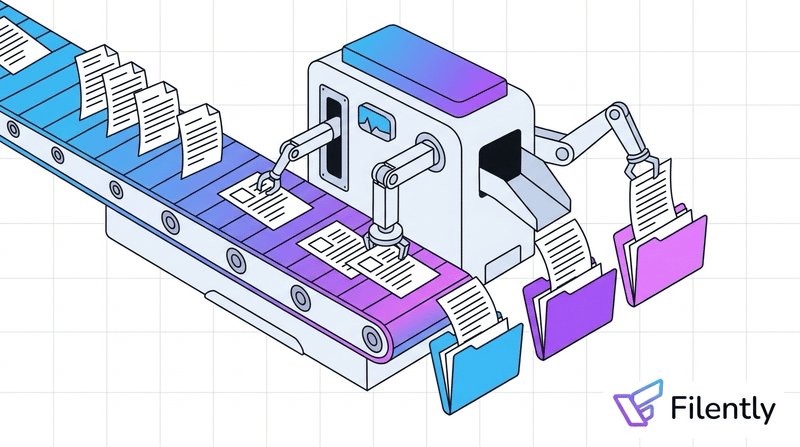
Most businesses looking for a free document management system are dealing with the same problem: documents scattered across email attachments, desktop folders, and cloud storage, with no consistent naming or structure. They want something that fixes this without adding a monthly software bill.
“Free” in document management means different things. Some tools are free to use but require a server you manage yourself. Others offer a free cloud tier with meaningful limits. And some are freemium products designed to push you to paid once you’ve uploaded a hundred files.
This guide covers the best free document management software options available in 2026: what each one costs to run, what it limits, and which fits your situation.
Quick answer: The right free DMS depends on your setup. If you’re already on Google Drive, Filently (first 25 documents free) adds automatic filing without any server or migration. If you want the most capable free tool and are comfortable managing a server, Paperless-ngx is open-source, has full OCR and auto-classification, and runs on a $5–10/month server.
What “Free” Actually Means for a DMS
Three different things get called free:
Open-source, self-hosted: The software itself costs nothing. You run it on your own server or NAS. No licensing fees, but setup, updates, and backups are on you. Paperless-ngx and OpenDocMan work this way.
Cloud free tier: A SaaS product with a free plan, usually capped by storage, users, or document volume. Google Drive (15 GB free), Notion (free plan), and Filently (first 25 documents free) fit here. Genuinely zero cost within the limits.
Freemium with a hard ceiling: Free until you hit a limit designed to push you to paid. Many tools marketed as “free DMS” or “free DMS freeware” fall into this category: the free tier is real, but deliberately constrained.
The Best Free Document Management Systems in 2026
Paperless-ngx — Best Overall Free DMS
Free and open-source (MIT license). The most capable free DMS available.
What it does: Ingests documents via a watched folder, email (IMAP), or web upload. Runs OCR on every document using Tesseract, including scanned PDFs and image files. Over time, it learns to classify documents automatically based on what you’ve already filed. Full-text search works across everything, including the content of scanned files.
What it costs to run: A $5–10/month cloud server (Hetzner, DigitalOcean) handles a personal or small business archive. A Raspberry Pi 4 (~$80 one-time) works for lighter use. Setup takes 2–4 hours for someone comfortable with Docker.
Best for: Freelancers and small businesses building a document archive: invoices, contracts, bank statements, receipts. Anyone who regularly receives scanned documents and wants them instantly searchable.
Not ideal for: Teams that need collaboration features, or anyone unwilling to manage their own server.
What this looks like in practice: A freelance accountant sets up Paperless-ngx on a $5/month Hetzner server. She creates an email rule that auto-forwards all client document emails to her Paperless inbox. Every attachment gets ingested, OCR’d, and tagged automatically: bank statements, invoices, signed contracts. Three months in, her entire archive is searchable by client name, date, or any text inside any scanned file. When a client asks for a specific invoice from 18 months ago, she finds it in ten seconds.
For a detailed comparison of Paperless-ngx against other self-hosted tools (Mayan EDMS, Nextcloud, Teedy), our open-source DMS guide covers setup requirements and costs in full.
Google Drive + Filently — Best If You’re Already on Drive
Google Drive is free up to 15 GB per Google account, and most freelancers and small businesses already have it. As a standalone tool it’s storage and sharing, not a DMS. It has no document classification, no OCR on scanned files, and no automatic renaming.
With Filently on top: Filently adds automatic document identification, renaming, and filing inside your existing Drive. A scanned invoice arrives; Filently identifies it, renames it to 2026-05-15_AcmeCorp_Invoice-1052.pdf, and moves it to the right folder. All inside your Drive, nothing migrated. First 25 documents free.
This is usually the most practical path for freelancers and small businesses already on Google Drive: an organized, automatically-filing document system with no server and no migration. For a full look at how AI-powered Google Drive organization works, our AI Google Drive organizer guide covers Filently and the alternatives in detail.
→ drive.google.com / filently.com
Notion — For Teams That Create Documents, Not File Them
Notion appears on most “free DMS” lists, so it’s worth addressing directly, but it’s not really a document management system. It’s a wiki and knowledge-base tool, built for creating and organizing written content, not for filing uploaded documents. The free plan has two meaningful limits: a 5 MB file upload limit per file (most scanned contracts or multi-page PDFs exceed this), and a block limit that kicks in as soon as you work with 2 or more members. In practice, you hit the ceiling quickly once you’re using it as a team, and the upgrade to a paid plan follows shortly after.
What it actually is: A flexible workspace for creating and organizing written content: meeting notes, SOPs, project documentation, team wikis. You can link to files stored elsewhere (Google Drive, Dropbox), but Notion itself is not where you file documents.
What it doesn’t do: No OCR, no file classification, no check-in/check-out, no automatic renaming. Searching for a specific document means knowing where in Notion you put it, not searching by content.
When it makes sense: If your team primarily creates documents inside Notion (text, tables, pages) rather than uploading external files, the free plan works well. For an actual document archive (invoices, contracts, scanned receipts), it’s the wrong tool.
OpenDocMan — Best Simple Web-Based Free DMS
Free, open-source (GPL). A straightforward web-based document management system that’s simpler to deploy than Paperless-ngx.
What it does: Document upload and storage, version control, check-in/check-out workflow, department-based access controls, and metadata fields. A basic but complete DMS feature set. No built-in OCR: documents are searchable by metadata and filename, not full text content.
What it requires: A web server with PHP and MySQL. Most shared web hosting plans qualify, making this more accessible than Docker-based tools.
Best for: Small businesses that want a real DMS with check-in/check-out and access controls, but don’t need OCR and prefer simpler setup than Paperless-ngx.
Free DMS at a Glance
| Paperless-ngx | Google Drive + Filently | Notion | OpenDocMan | |
|---|---|---|---|---|
| Cost | Free (hosting ~$5–10/mo) | Drive: free / Filently: 25 docs free, then from $6/mo | Free (limits for 2+ members) | Free (hosting required) |
| OCR | ✓ Full OCR | ✓ via Filently | ✗ | ✗ |
| Auto-classification | ✓ ML-based | ✓ via Filently | ✗ | ✗ |
| File upload limit | None | None | 5 MB per file | None |
| Version control | ✓ | ✓ (via Drive) | Limited | ✓ |
| Setup effort | Medium (Docker) | Very low | None | Medium (PHP/MySQL) |
| Self-hosted | Yes | No | No | Yes |
Already on Google Drive? You already have the foundation. Filently identifies every document and files it automatically. Inside your existing Google Drive.
First 25 documents free. 2-minute setup. No credit card needed.
What Free Plans Typically Limit
Storage: Google Drive gives 15 GB, enough for thousands of PDFs. Self-hosted tools are limited only by your server disk. Notion’s free plan limits file uploads to 5 MB per file, which blocks most scanned documents from uploading at all.
Users: Notion’s free plan hits a block limit as soon as a second member joins the workspace, making it impractical for team use without upgrading. Most self-hosted tools scale freely. Google Drive storage is per Google account, so team members each need their own.
OCR and full-text search: The biggest gap in free cloud tools. Google Drive searches text in text-based PDFs but not scanned images. Notion has no OCR at all. Only Paperless-ngx and Filently give you full OCR on scanned documents.
Compliance features: Audit trails, formal approval workflows, and granular document-level access controls are almost always paid features in SaaS products. Self-hosted tools (Paperless-ngx, OpenDocMan) include basic versions of these for free.
Support: Free plans mean community forums and documentation, not a support ticket. Factor this in if your team doesn’t have technical resources.
Which Free DMS Is Right for You?
The comparison table gives you the specs. Here’s what each one means in practice:
You’re a freelancer or small business on Google Drive, receiving invoices and contracts regularly: Start with Google Drive + Filently. Two-minute setup, no migration, and the first 25 documents are free. You’ll know within a day whether the automated filing fits your workflow.
You want the most powerful free document management system and can manage a server: Paperless-ngx. Full OCR, auto-tagging, full-text search across thousands of scanned documents. A $5/month server on Hetzner or a Raspberry Pi at home handles a years-long archive. One-time setup, no ongoing software cost.
You run a small team and primarily create documents inside a shared tool (notes, wikis, SOPs): Notion. Zero setup, free for small teams, works well for written content you create. Not suitable for filing uploaded files: the 5 MB limit and wiki structure make it the wrong fit for an invoice archive or contract repository.
You need real DMS features — check-in/check-out, access controls by department — but can’t justify a paid tool: OpenDocMan on shared hosting. Most hosting providers ($3–5/month) support it out of the box.
Your business is in finance, healthcare, or legal: None of these tools are adequate for compliance. Formal audit trails, certified data retention, and regulated approval workflows require a paid, certified DMS.
Who Actually Needs a Paid DMS
For most freelancers and small teams, a free tool combined with consistent habits covers the actual needs: finding documents quickly, keeping versions organized, sharing securely.
A paid DMS makes sense when you need formal document approval workflows, compliance-grade audit trails (regulated industries: finance, healthcare, legal), or team-wide access controls at scale.
Before comparing free options, it is worth testing whether you need a DMS at all.
Frequently Asked Questions
What is the best free document management system?
It depends on your situation. For Google Drive users who want zero setup: Filently adds automatic document identification, renaming, and filing inside your existing Drive, with 25 documents free. For anyone comfortable managing a server who wants the most capable free tool: Paperless-ngx is open-source, has full OCR and auto-classification, and runs on a $5–10/month server. For a shared team workspace for written content (not file archiving): Notion’s free plan works, but it’s a wiki tool, not a DMS.Is there a free DMS with no storage limits?
Self-hosted tools (Paperless-ngx, OpenDocMan) have no software storage limits; storage is capped only by your server disk, which you control. Cloud free tiers always have limits: Google Drive gives 15 GB, Notion limits individual file upload sizes on the free plan.What is the difference between a free DMS and just using Google Drive?
Google Drive is storage and collaboration. It doesn’t organize documents, doesn’t run OCR on scanned files, and doesn’t enforce naming conventions. A proper DMS adds automatic classification, OCR full-text search, and structured filing. Google Drive becomes a free DMS when you add an intelligent filing layer on top — that’s what Filently does.Can I use a free DMS for a small business?
Yes. Paperless-ngx is used by freelancers, small businesses, and even some enterprises — fully free and production-capable. Google Drive covers most small business document storage needs for free. OpenDocMan provides check-in/check-out workflows and access controls for free if you have a web server. The limits of free tools (no OCR in cloud options, server management for open-source) are real but manageable for most small businesses.Is there free DMS freeware for Windows without a server?
Genuinely capable free DMS freeware for Windows without any server is rare. The best free tools (Paperless-ngx, OpenDocMan) are web-based and require a server. For Windows users who want zero-server setup: Google Drive (desktop app) with Filently is the most practical free option. Documents get organized automatically with no server to maintain. For local rule-based renaming, File Juggler ($40 one-time, not free) is the main Windows option.Is Notion a document management system?
Not really. Notion is a wiki and knowledge-base tool designed for creating and organizing written content (notes, SOPs, project pages), not for filing uploaded documents. The free plan has a 5 MB file upload limit per file, and a block limit that applies as soon as you add a second member. In practice, you outgrow the free plan quickly once you’re using it with a team. If you’re looking for a place to archive invoices and contracts, Notion is the wrong tool. If you want a shared space for team notes and written documentation and are working solo, it can work.Is Microsoft SharePoint free?
No. SharePoint Online requires a paid Microsoft 365 plan or a standalone SharePoint Online subscription. There is no free version. If your organization already pays for Microsoft 365 for email, SharePoint is included in that bundle — but it’s not free on its own. Microsoft adjusts pricing regularly; check current plans at microsoft.com.Can I try a free DMS without committing to a full setup?
Yes. Filently and Notion both have permanent free tiers with no time limit. For Paperless-ngx, most cloud hosting providers (Hetzner, DigitalOcean) offer free trial credits, which is enough to run Paperless-ngx for several months before spending anything. OpenDocMan runs on shared hosting; many providers offer 30-day free trials.Set it up once. Files organized from that point forward. Filently identifies every document, applies your naming convention, and files it in the right folder. Inside your existing Google Drive.
First 25 documents free. 2-minute setup. No credit card needed.